
A video recorded for a wide screen needs a different composition on an upright phone. Turning it into a vertical video means choosing what stays visible, when the crop moves, and how it follows the original edit.
 Enzo Pacilio
September 17, 2026
Enzo Pacilio
September 17, 2026
The same recording may need to appear on a television, a laptop, and a phone. Those screens have different sizes, resolutions, and shapes. A video composed for a wide display does not automatically fit an upright one.
We wanted to understand what a tool has to decide on your behalf when it turns a horizontal video vertical, so we tested the existing open-source options, then built an experimental pipeline around predicted visual attention. This post walks through the choices behind the crop: what stays in frame, when the frame is allowed to move, and what should happen at a cut.
Changing resolution makes a video larger or smaller; changing its aspect ratio changes the shape it must fit. A 16:9 recording can fill a landscape screen. On a 9:16 phone canvas, keeping the whole picture leaves empty space above and below it. Filling that canvas with a crop keeps only a narrow part of the original scene.
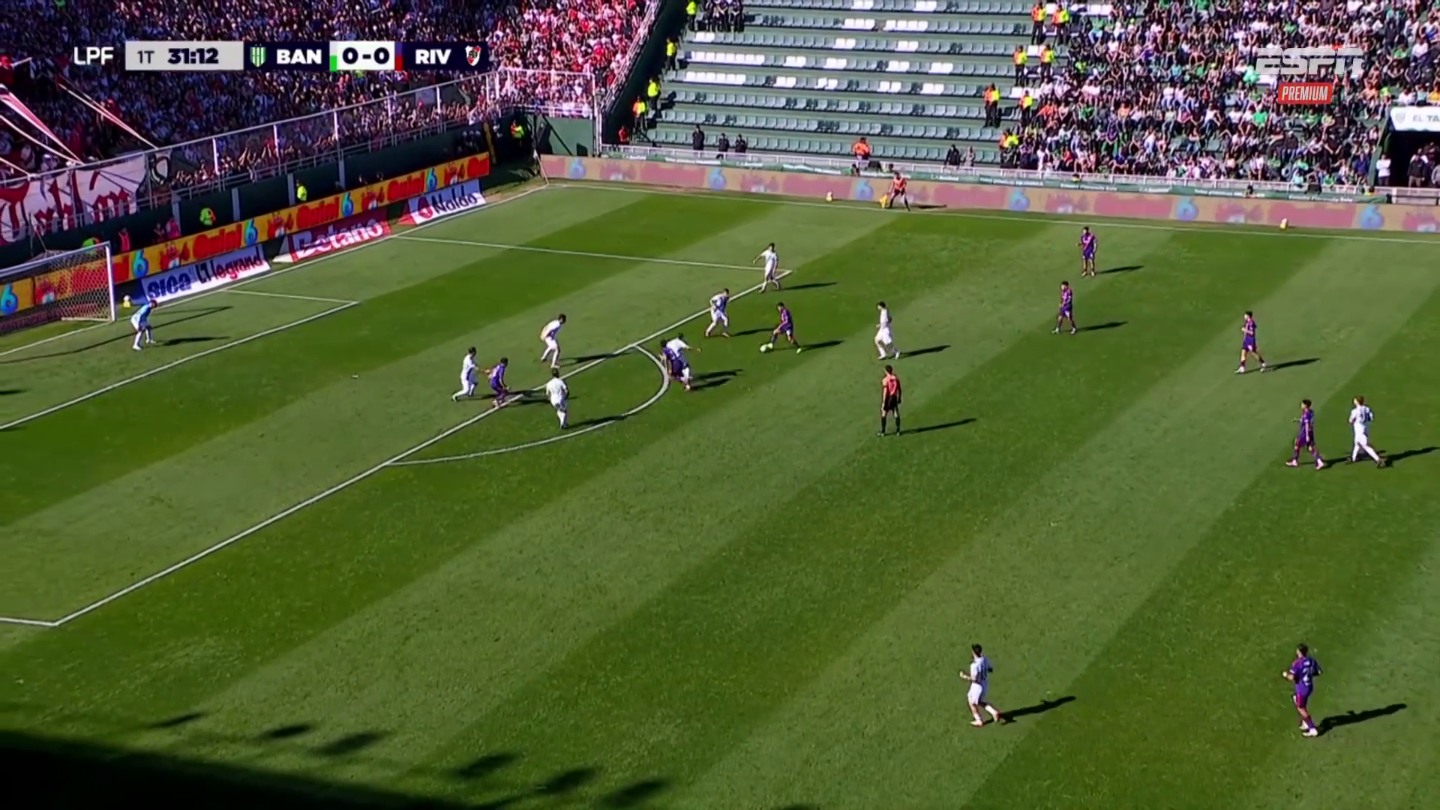
That choice changes with the scene. With one speaker, a closer crop gives the face and gestures more of the display. A soccer attack depends on relationships between players, space, and goal. Making the player with the ball larger can also hide the teammate they are about to pass to.
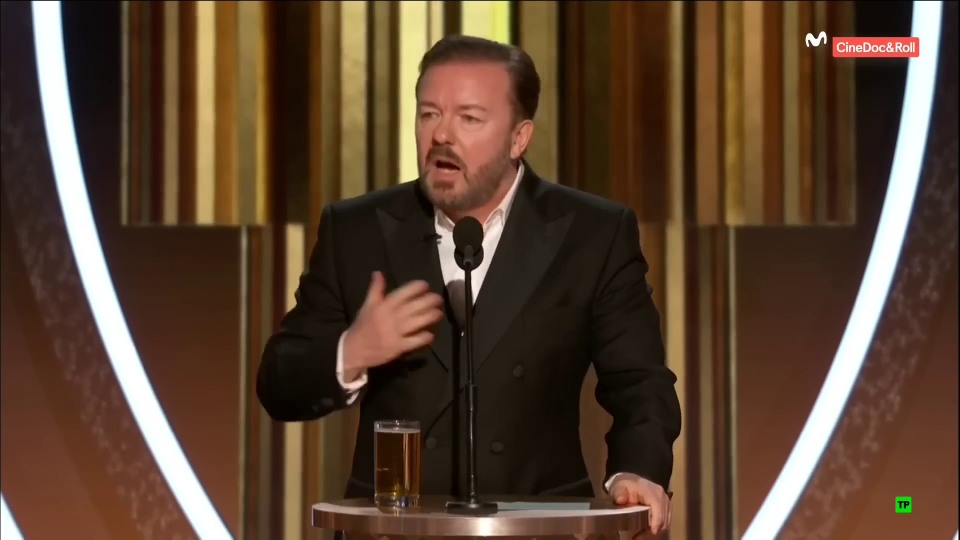
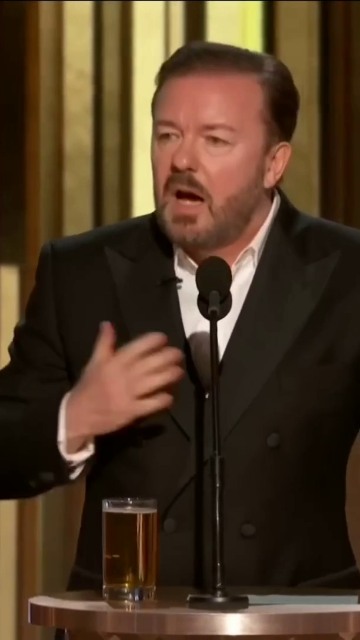
The speaker occupies more of the display. Most of what disappears is stage background.
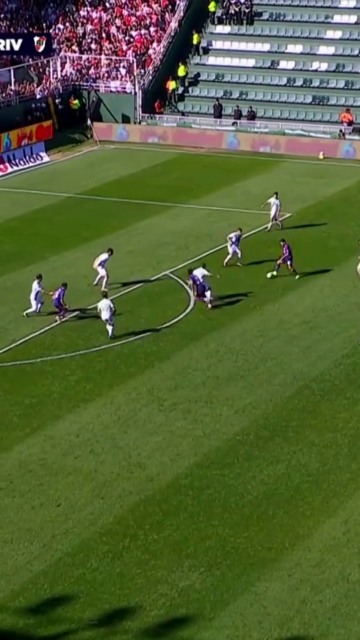
The play becomes larger, but fewer players and less of the field fit at once.
Even a conversation leaves room for interpretation. Should the frame show the person speaking, a listener’s reaction, or both? A face can be perfectly centered while another part of the exchange happens out of view. Choosing a crop means choosing which details the viewer gets to connect.
Turning a video upright involves several jobs: finding the subject, following it through time, and deciding how the frame should move around it.
We tested two open-source tools with different framing strategies.
AutoFlip, released by Google Research in 2020, is a video-reframing framework built on MediaPipe. It detects important content and chooses a fixed or moving crop for each shot.
Autocrop-vertical, started by Kamil Stanuch in 2025, is a Python converter that uses person and face detection with FFmpeg. In the version we tested, it analyzes the middle frame of each shot and chooses one fixed crop, or pads the full picture if the people cannot fit.
To understand their output, it helps to separate four jobs. A shot is a continuous stretch of video between cuts; each shot can have its own framing.
A detector can report where a face is. A selection rule decides whether that face should be the subject; a tracker can keep following the same person. Camera planning then turns those observations into a watchable sequence. A moving detection box and a good camera path are different things. AutoFlip, for example, smooths the crop path instead of directly copying the detector’s frame-to-frame positions.
We ran AutoFlip and Autocrop-vertical on the examples below. The table summarizes what each tool produced and where it fell short; results reflect the specific versions and settings we tested.
| Video | AutoFlip | Autocrop-vertical |
|---|---|---|
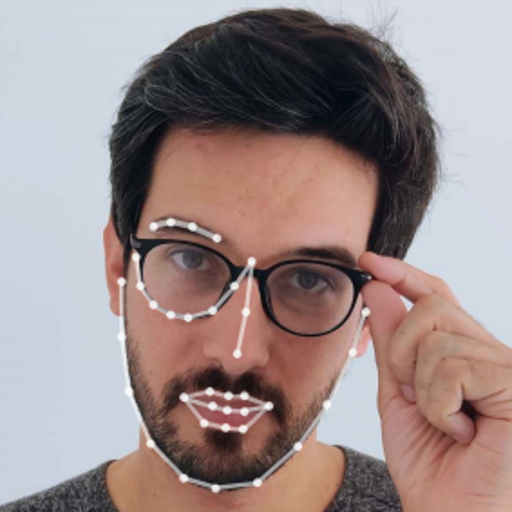
| Single speaker | Passes: holds a steady crop around the speaker’s face. | Passes: a fixed, face-centered crop keeps the speaker in frame. |
| Soccer goal | Follows the player cluster, but keeps panning and misses the ball as a target. | Pads the full field into a small band; does not follow the play. |
| Two-person interview | Its face-following graph pans across the set at each cut; the stock crop also misses faces. | Finds the cuts. A shelf figurine triggers padding on guest shots; host shots get a face crop. |
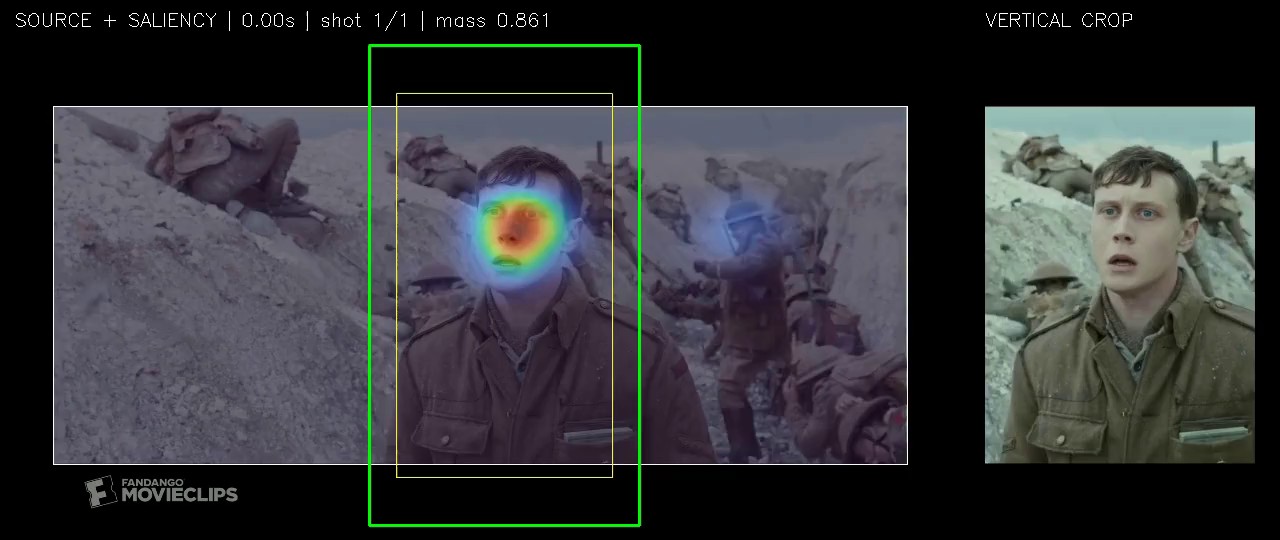
| 1917 tracking shot | Follows extras and explosions as often as the protagonist; keeps him in about 7 of 12 sampled moments. | Mistakes an explosion for a cut, then pads most of the take after missing the soldier in fog. |
A vertical crop cannot keep the whole scene. It needs a way to choose which region to preserve. Visual saliency is an estimate of where people are likely to look within a picture.
Our experiment uses PredJSal, a model that examines short video sequences and produces a saliency heatmap for each frame. Higher values mark areas it predicts will attract more attention. On a soccer field, that can distinguish the developing attack from players elsewhere in the picture.
To turn that heatmap into a vertical frame, we compare possible positions of a 9:16 window and add up the predicted attention inside each one. A window covering more attention receives a higher score. The output format determines the window’s shape; the heatmap helps choose its position. PredJSal supplies the heatmap, and our crop planner chooses the window.
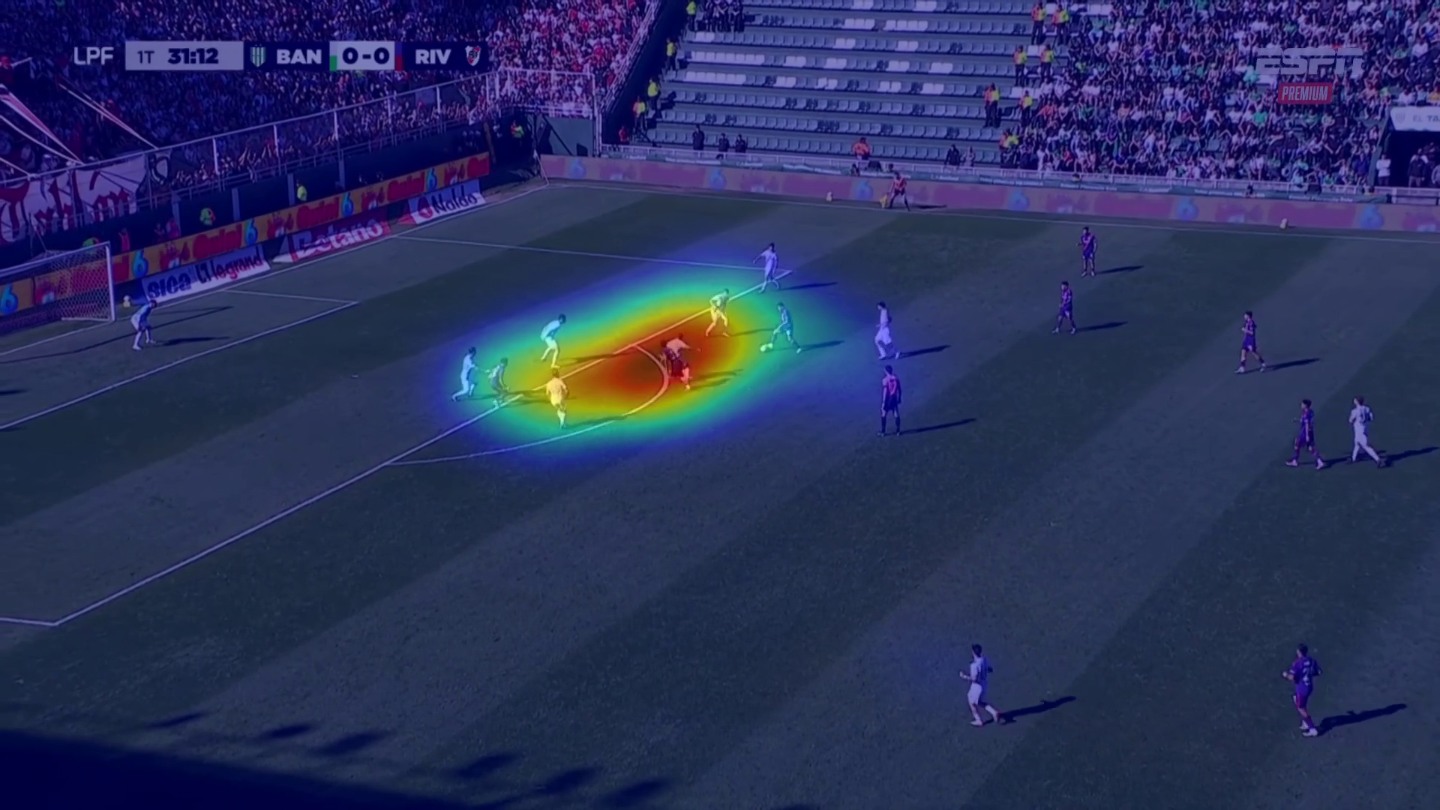
On the soccer clip, the heatmaps gathered around the attack without an explicit ball tracker. The comparison below shows how using that signal changes which part of the play stays visible. The original broadcast camera already does much of the tracking, so the crop often needs only a modest adjustment.
In this run, the crop contains an average of 91.5% of the predicted attention. That tells us how much of the chosen signal fits inside the window. Judging the composition still means watching what remains visible, what disappears, and how the frame moves.
The experiment used PredJSal’s released NTIRE4 checkpoint, built on V-JEPA 2 representations, rather than its four-model ensemble. PredJSal was the CVSP team’s entry in the NTIRE 2026 Video Saliency Prediction Challenge. It tied for the best mean rank across the four metrics, while the official tie-break placed it second behind iLearn. That is a result on saliency prediction, not on crop quality.
Choosing a crop independently in every frame can make the view shake or drift as predicted attention shifts. The problem here is to keep the action visible without making the viewer follow every small change in saliency model output.
Our camera rule holds a useful crop and moves it only when another position offers enough improvement. It limits the speed of each move and favors space around the subject. Looking up to half a second ahead helps it respond before the action reaches the edge.
The tracking shot from 1917 tests this rule over one continuous 109-second take. A single soldier runs through trenches, crowds, smoke, and explosions. Extras crossing the frame and shells landing nearby can shift predicted attention away from him. The crop needs to follow his run while resisting those distractions.
A slightly better target does not justify a move. The crop holds if its current score is at least 95% of the best candidate’s. On the battlefield take, the window stays completely still for 59% of the shot. It stops 18 times for at least a second, and the three longest pauses each last more than eight seconds.
When the soldier leaves the window, the crop follows at no more than half a crop width per second, then settles. A scoring area inset by 10% on each edge favors room around him rather than a tight lock on his face.
The planner first proposes crop positions from the saliency heatmaps. A Kalman filter and a backward smoothing pass use nearby frames to reduce abrupt changes in that path. A final constraint step keeps the window inside the picture, enforces the speed limit, and preserves stationary holds. Processing the complete shot allows the smoother to use future frames, but never frames across a cut.
In an edited video, the framing and cuts already guide the viewer’s attention. Consider an interview cut from guest to host: the new picture establishes a new viewpoint immediately. A crop that glides from the old position to the new one adds a movement that the original edit never contained.
This is why shot boundaries matter to reframing: they mark where continuity ends and a new composition can begin. Our pipeline finds the cuts on its own and starts the camera fresh in every shot, applying the same hold-and-move rules from section 4 inside each one.
The result makes four jumps at the cuts, with zero movement inside the shots.
A useful vertical crop needs three decisions to work together: what to keep, when to move, and where to restart after a cut. The soccer clip tests whether the window follows the play. The battlefield take tests whether it can hold through distractions. The interview tests whether it respects the edit.
In these examples, predicted attention gave the crop planner a useful region to follow, while the movement rules kept the view steadier and shot detection prevented pans across cuts. Attention alone does not settle the composition: a window can cover a face and still cut off a gesture, or follow a player and hide the pass.
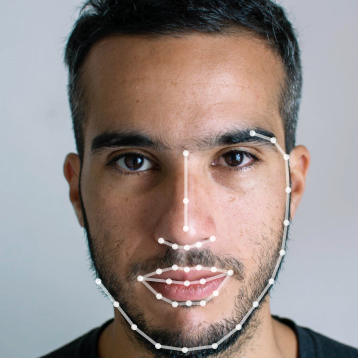
The crop stays fixed across all 360 frames. Both detection baselines also handled this case.
The two moving clips are where the numbers are clearest. Each figure is the share of predicted attention that stays inside the vertical window, averaged over the clip.
| Crop | Soccer play | Battlefield take |
|---|---|---|
| Our camera | 90.8% | 83.1% |
| Fixed center crop | 84.4% | 74.0% |
| AutoFlip | 31.6% | 69.5% |
On the soccer play, AutoFlip’s window leaves the attack about two seconds in and spends much of the rest on the empty side of the pitch, while ours stays on the attack. On the battlefield take, measured over the full 109 seconds, the gap is smaller but still clear. These figures measure the signal our camera is built to follow, not storytelling, and the annotated take in section 4 shows the stretches where our window loses the soldier.
Our dataset survey distinguished three annotation targets:
| Example | What the annotation says |
|---|---|
| NTIRE 2026 saliency | Where observers direct attention, collected through mouse tracking while watching with sound. |
| H2V-142K | Which person is the primary subject, represented by subject bounding boxes. |
| RetargetVid / LIVE-YT Video Cropping | Where people place a crop window. RetargetVid uses constrained windows; LIVE-YT collects free-form portrait regions. |
The LIVE-YT study reports a correlation of 0.301 between UNISAL saliency and human crop annotations. This is another model’s result, not PredJSal’s, and shows why attention coverage needs composition review.
LIVE-YT uses different raters for consecutive annotated frames, mixing scene changes with personal preferences. Future evaluation should separate subject choice, framing, and motion. We have not benchmarked this pipeline on these datasets.
Some scenes rely on relationships spread across the whole frame: several people moving at once, their surroundings, or the distance between them. Follow one person and other actions disappear. Follow the movement and viewers can lose the context that gives it meaning. A single narrow window cannot keep all of these details together at their original scale.
When the full composition matters, choosing a crop cannot preserve everything. The options are to show the whole image with empty space, shape the material into a sequence of vertical shots that guides attention, or keep the original landscape format. Which one works depends on what viewers need to see together.
The next time a horizontal scene fills an upright screen, notice what the new frame asks you to watch.
Does it keep the gesture as well as the face? The pass as well as the player? Does it hold long enough to let you look around? Those are the choices behind a vertical version, whether they come from an editor, an existing tool, or an experimental pipeline.
Tools and models used in the experiments: